One-click sessions
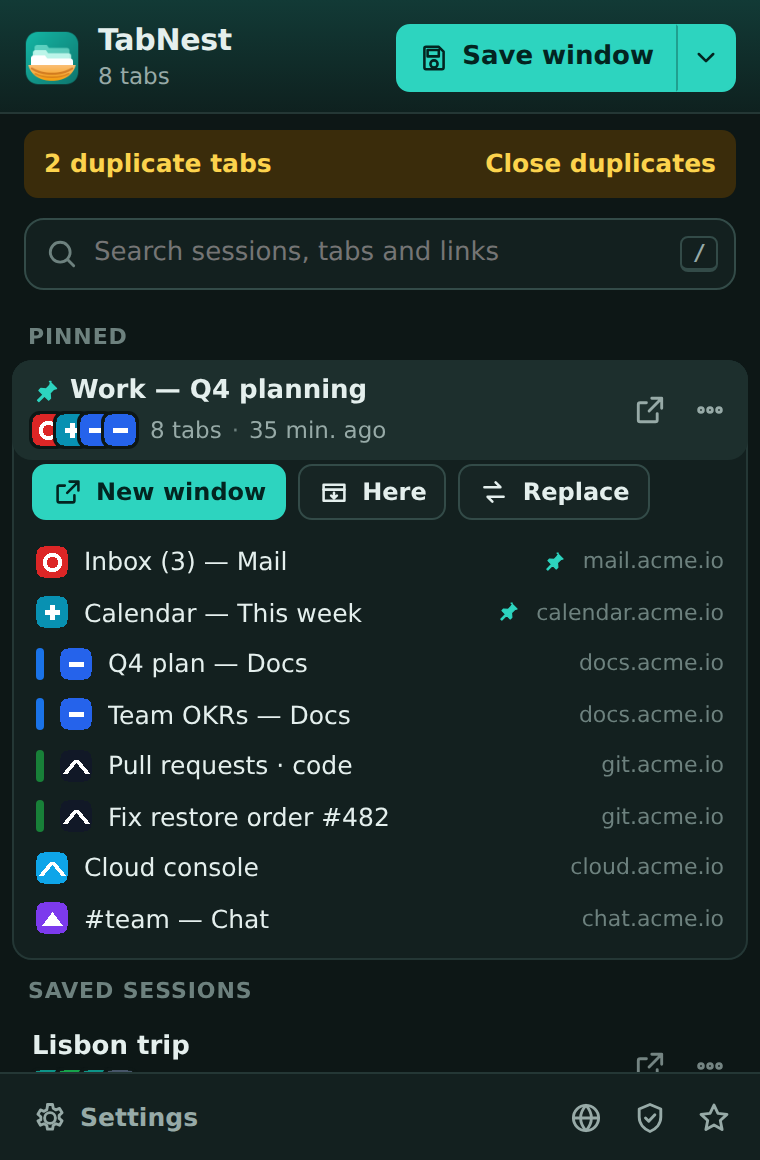
Save the current window — or all windows — with its pinned tabs and tab groups. Optionally close the tabs right away to free memory.
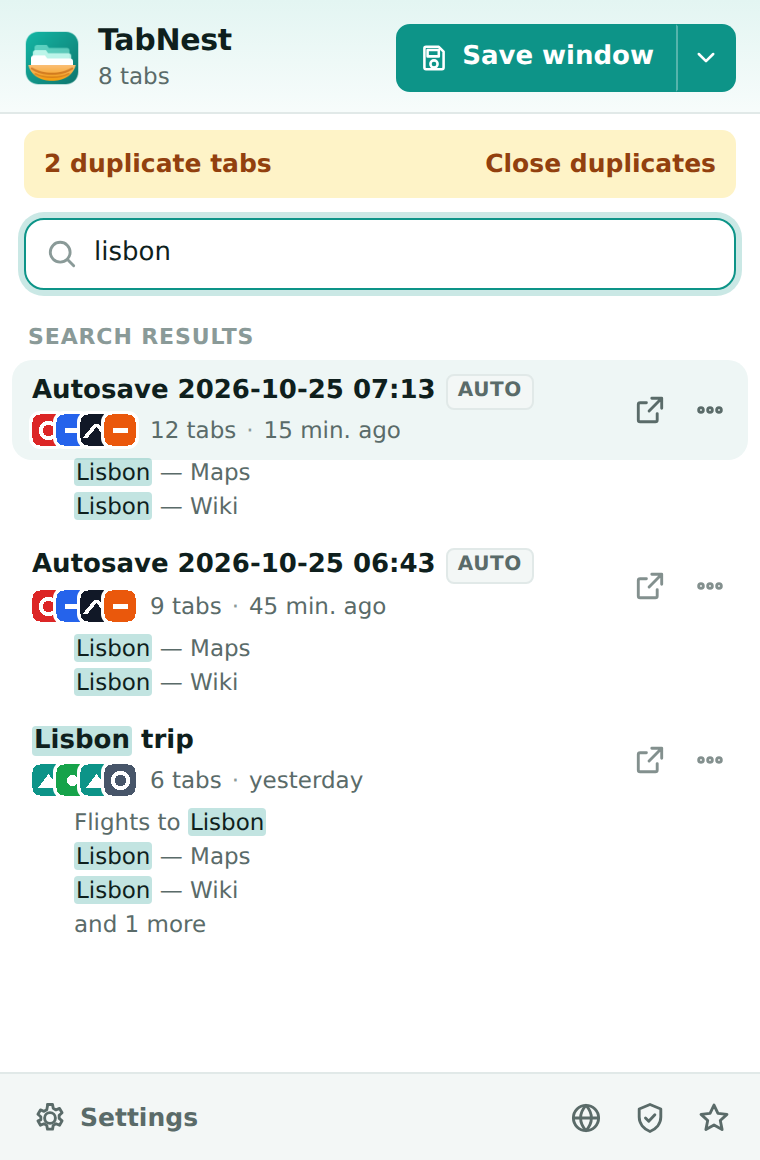
Save a whole window as a named session, close it, and bring every tab back with one click. Search everything you saved — session names, tab titles and links.

Small, fast and focused. TabNest does one job and does it well.
Save the current window — or all windows — with its pinned tabs and tab groups. Optionally close the tabs right away to free memory.
Search across session names, page titles and URLs. Matching tabs are highlighted, so you can reopen just the one you need.
Snapshots every 5, 15, 30 or 60 minutes — only when something changed. Old snapshots rotate away automatically, even after a browser restart.
TabNest shows how many tabs are open twice in this window and closes the extras with one click. The active and pinned copies are kept.
Export everything to JSON and import it on another computer. Copy any session as a plain list of links or as Markdown.
No account, no analytics, no servers storing your browsing. Sessions live in your browser’s local storage and nowhere else.
Click the TabNest icon and press “Save window”, or press Alt+Shift+S anywhere. The session is named by date and the first site.
Close the tabs — or let TabNest close them for you. Pinned tabs always stay open.
Open a session in a new window, add it to the current one, replace the current tabs, or open a single tab.
Yes. TabNest is free, without ads, accounts or paid tiers.
Only in your browser’s local extension storage on this device. Nothing is uploaded. Use Export JSON in the settings to make a backup or move sessions to another computer.
Yes. Every session is written to disk the moment you save it, and autosave keeps running after restarts.
Yes. Group names, colors and collapsed state are saved and recreated when you restore a session. You can turn this off in the settings.
To read the addresses and titles of your open tabs when you save a session, and to reopen them later. This information stays on your device.
Google Chrome 116 or newer, and other Chromium-based browsers that support Chrome Web Store extensions, such as Microsoft Edge, Brave and Vivaldi.
TabNest never saves incognito windows — not manually and not with autosave.

Install TabNest in seconds. Your next “I’ll read it later” finally has a place to go.
Add to Chrome — it’s free